
Want to keep reading?
The rest of this case study is private, but feel free to reach out to me at alexandr.shor03@gmail.com for the password
Our Impact
40
%
Decrease in time spent logging new damage
3:48 Minutes -> 2:18 Minutes
85
%
Decrease in time spent finding old damage
1:38 Minutes -> 15 seconds
16.6
Pt
Increase in System Usability Score
70.15 points -> 86.75 points
Key Problem
Mechanics are taking hours to find the damage
With over 2000 planes, Delta needs a system to keep track of a lot of damage. It does that through two tools- the Aircraft Damage File for storing damage info and the Logbook for mechanics to generally log their inspections. But Mechanics were complaining about issues with the current system. Particularly, when we asked mechanics what they needed, we heard:
"I want something where I can find the damage"
Participant #1 - Base Mechanic
Mechanics are struggling to find and log damage with a system that should be working. Why?
Discover
The Problem
3 key questions guided our interview
To build the right product, we needed to ask the right questions, and 3 key questions guided our process:

How do
Technicians find
Specifically, how do mechanics confirm that the damage they see on the plane is preexisting?

How do
Technicians Log
When mechanics do find new damage, what are they recording, and why are they recording what they record?

How does
technology mediate
What technology are mechanics actually using? Where are its shortfalls?
Key Findings
An unreliable, open-ended, and dependent tool stops work
From 4 contextual inquiries, 27 user interviews, 2 tool teardowns, and a competitive analysis, we discovered that the current application mechanics use fails in several critical ways:


Downstream issues
Issues with logging leads to valuable time lost finding critical damage, because…


Our Challenge
How might we design an intuitive, scalable digital twin solution to improve delta's aircraft maintenance?
Ideate
The Solutions
Design Workshop
Designing For Mechanics by letting mechanics design
We had some ideas on what mechanics would want, but to make sure we’re delivering a quality product for our mechanics, we brought mechanics to the design table with some guided discussion using I like, I wish, and I wonder statements centered on a set of preliminary ideas.
3 clear ideas formed the backbone of our application
Guided by our results from the design workshop and a set of user needs and design requirements, we had 3 key concepts:


Develop
The Prototype
A two-pronged approach to delivery
We knew that we wanted to develop couldn’t just be made as a prototype in Figma, so we took a dual approach- iterate in figma, and develop in an angular framework (with the help of Claude Code) to make our vision a testable reality

Lo Fidelity iteration
How do you balance a model with a log?
Through our lo fidelity, we wanted to try a number of different interfaces, to see how mechanics would want to interact with a 3d model in the context of other important fields such as photo uploads and damage description input. During this process, we found that mechanics preferred to access a general form first, and then fullscreening a digital model second.


Mid Fidelity Iteration
Revising the input
In our Mid fidelity, we began to add in clearer data points and refine our design using a pre-existing design elements at Delta TechOps. However, I soon discovered a very pertinent issue regarding how damage location is recorded:

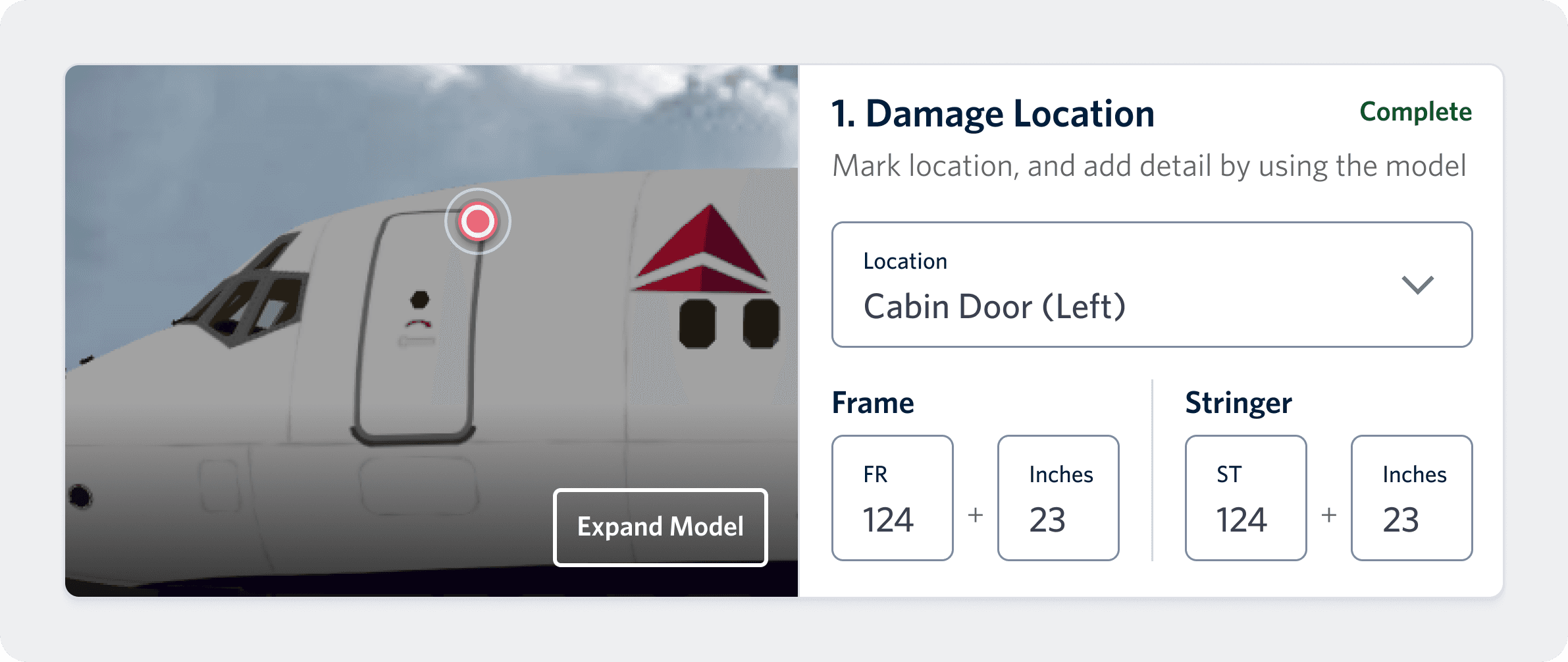
Entries are poorly structured…
When mechanics indicate the Frame And Stringer (important plane coordinates), the current design is just an open textbox, which begs the question…
“What's stopping me from putting in junk data right now?”
User Comment
Hi Fidelity Iteration
"Saving" the user flow by improving the "save" CTA
From high fidelity testing, we discovered our users were frequently getting lost with the model, and weren't clearly understanding how to save a new mark on the model. That's because 3D model functionality, while proven useful, was still new to most mechanics.

Our Problem: From our evaluation we discovered that mechanics had a hard time recognizing how to save their work once they complete adding a location.
"Okay…now how do I get out of here…?"
User Comment

Our Solution: Not only did we provide more crisp instruction on navigating the interface, but we also provided more clear CTA to efficiently navigate the workflow.
Final Product
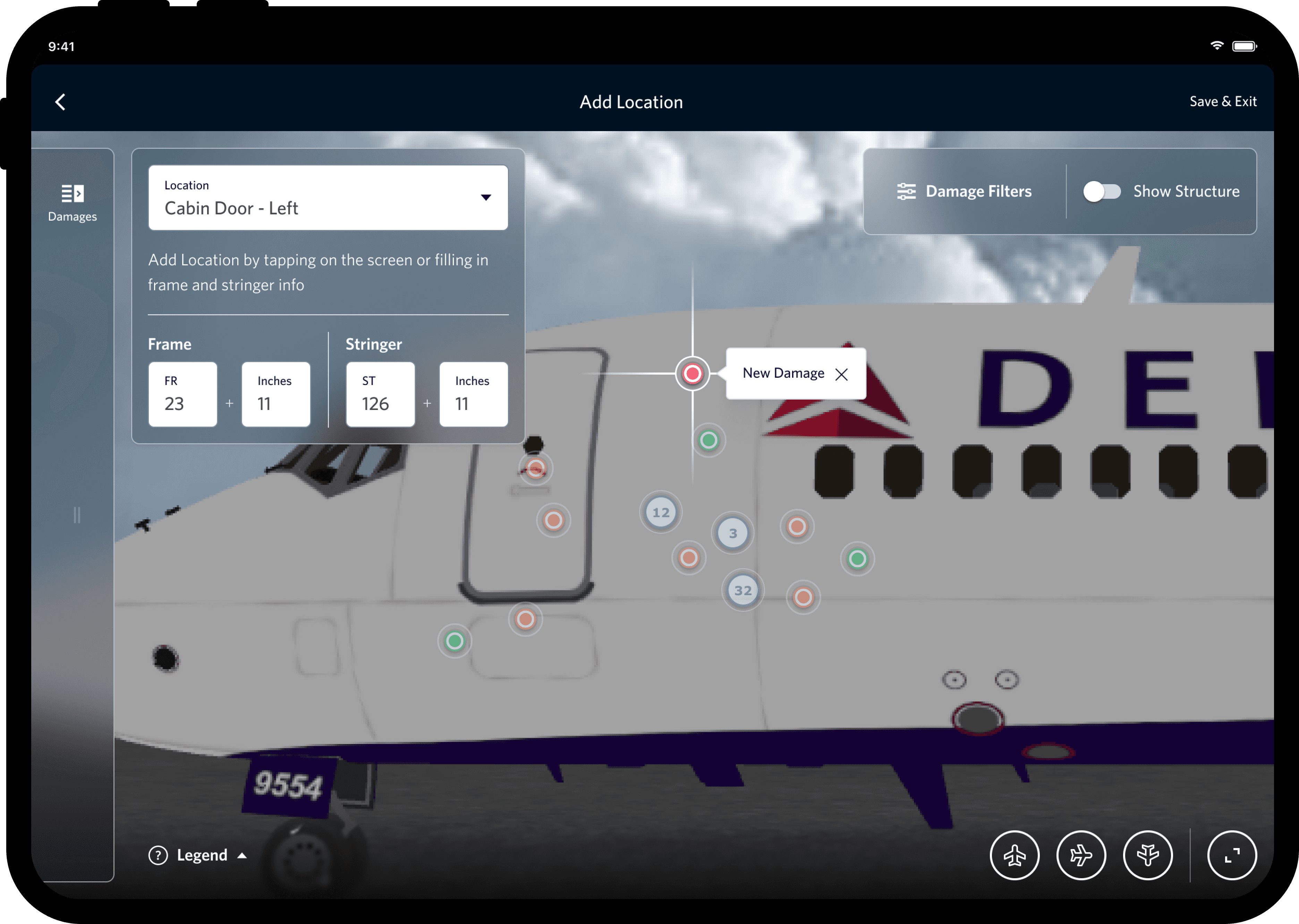
Mechanics now log easily in a
centralized system…
Location a tap away
Location Seamlessly Integrated into logging process
Clear Photos
Photos are now split into 2 easily understood types for visual context - Up Close and General

…And Find Damage in Seconds
Clear Coordinates
Before, mechanics had no visual reference for the location of damage. Now, they have clear coordinates
Pictures At a Glance
Mechanics now have plenty of ways to confirm damages with photos
Sensitive Delta Data has been blurred for privacy
Our System Delivers

Faster Damage Referencing
For Mechanics

Cleaner Data
For Analysts and Engineers

More Accurate Logging
For All Users
Evaluate
Product Success
We tested our final system with our end users

Participants
Across Line and Base Maintenance Teams.

Task Based Scenarios
Between-Subjects, randomized tasks for both logging and finding damage

Tested Systems
Comparing our system to multiple preexisting Delta systems for Aircraft Maintenance
Our Impact
40
%
Decrease in time spent logging new damage
3:48 Minutes -> 2:18 Minutes
85
%
Decrease in time spent finding old damage
1:38 Minutes -> 15 seconds
16.6
Pt
Increase in System Usability Score
70.15 points -> 86.75 points
Reflections
For the Future
Learn the why behind the what: It would be incredible easy to just put together everything mechanics asked of us, but by understanding why they were asking us for things, we went one step further and built a solution that truly met their needs.
Meet your user where they’re at: Only by bringing mechanics to the design table were we able to truly learn how they operated, and what they would be looking in a solution to their problem
Unique tools produce unique solutions: With a large background in 2d ux design, I was operating on a lot of assumptions when I made my Figma prototype. By using Claude Code and Microsoft Copilot, I not only brought my designs to life, but also understood more accurately what worked and what didn't.